 Caffoot
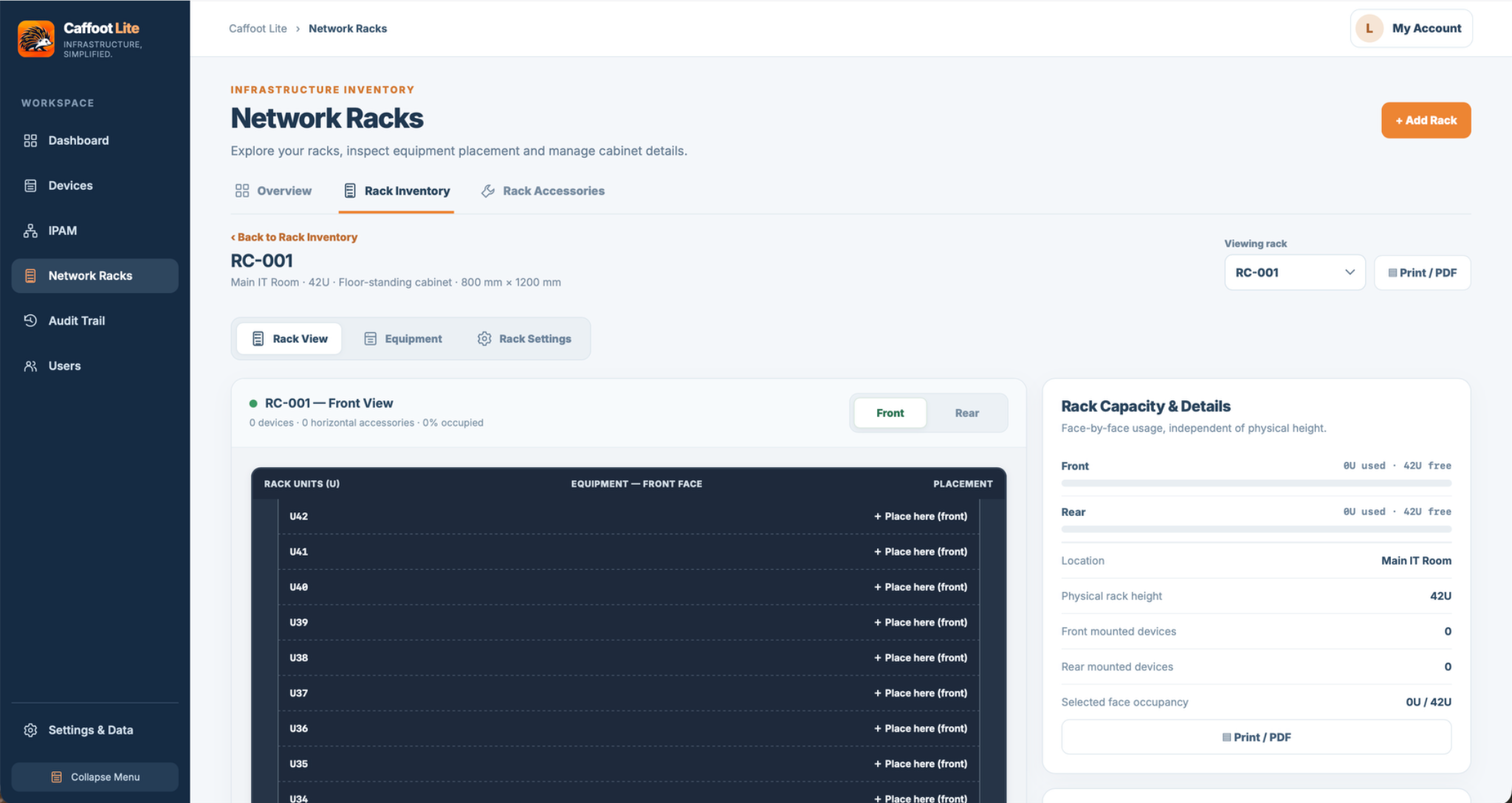
See What's Inside Your Network Racks
Create visual records of network cabinets, showing mounted equipment, accessories and available rack space.
Keep rack documentation connected to the device inventory rather than relying entirely on separate spreadsheets and sketches.
Visualise Front and Rear Rack Layouts
Record rack name, physical dimensions, height and location, along with front and rear mounted equipment.
Rack elevations help you understand equipment placement and available positions when planning changes.
Position Equipment With Confidence
Use supported placement controls to mount and move equipment and accessories. Position checks help prevent overlapping equipment in occupied rack units.
Rack-mounted devices remain linked to their equipment records, so supported location details stay connected.
Document Accessories and Shelf-Mounted Equipment
Supported horizontal and vertical accessories can be documented alongside rack-mounted equipment.
Eligible tabletop or shelf-mounted devices can be associated with rack shelves. Removing a shelf with linked devices requires reviewing their reassignment or retirement.
Keep Rack Information Up to Date
Authorised users can update rack information and equipment placement, subject to section permissions and active editing reservations.
Optional printing provides another way to review or share supported rack layouts.
Practical Rack Documentation Without the Complexity
Caffoot Lite does not automatically detect equipment in a cabinet or sense physical rack changes.
You record what is installed and update it as your infrastructure changes.