 Caffoot
A Fresh New Interface
Clearer navigation, consistent layouts, improved forms and light/dark themes.
Your infrastructure. Your users. Your data.
Free, open-source, self-hosted IP address management, device inventory and network rack documentation. Keep your infrastructure organised with Caffoot Lite v2.1.
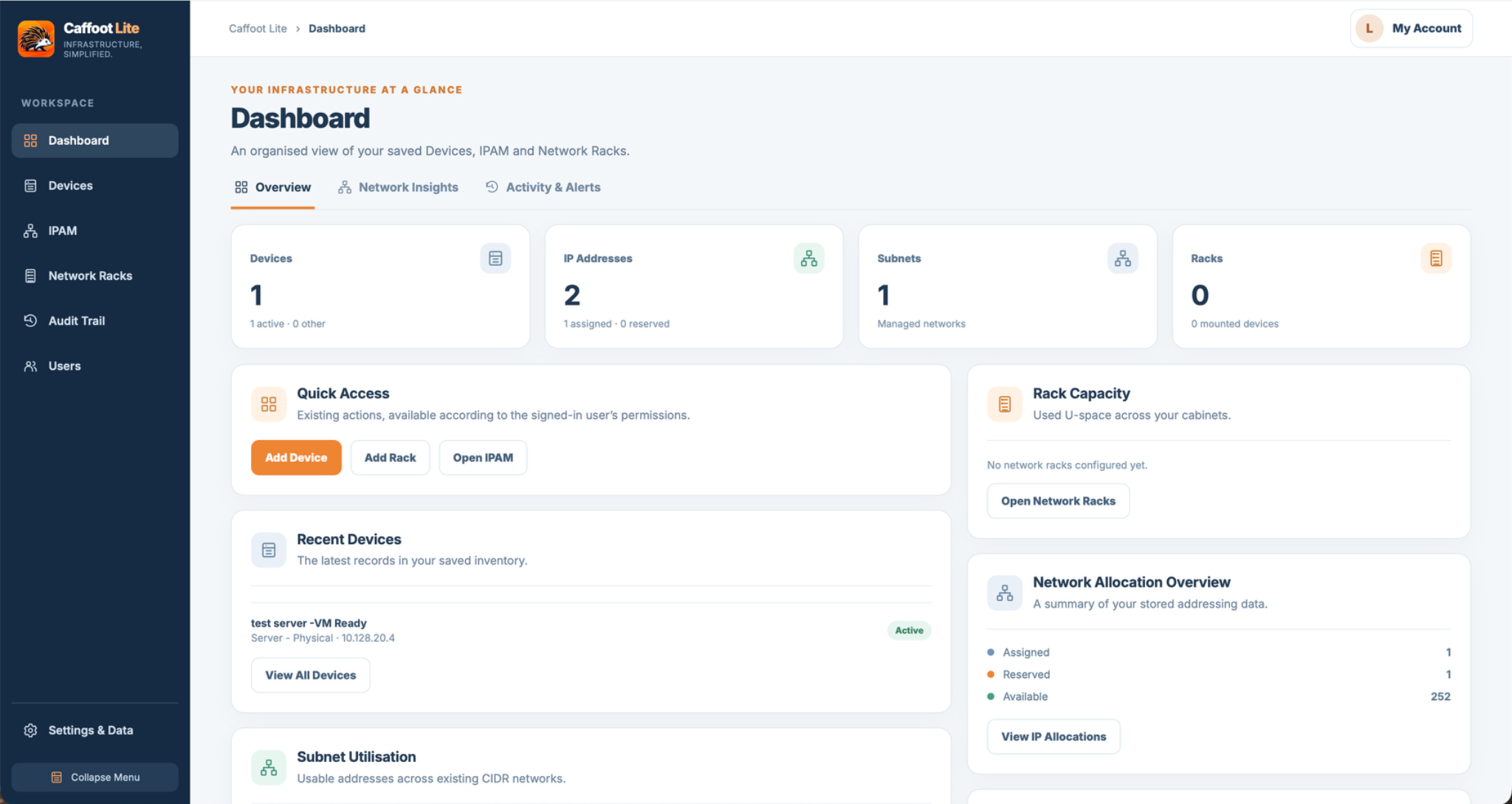
Ever wondered which IP addresses are free, which device is using a particular address, or how much space is left in your rack? Caffoot Lite brings those everyday infrastructure questions together in one easy-to-use tool.
Instead of juggling spreadsheets, handwritten notes and scattered records, you can organise IPv4 address blocks and subnets, document devices and IT assets, and see equipment positioned in visual rack elevations. A dashboard gives you a useful overview of your environment.
It's designed for small businesses, IT teams and home labs that want clear infrastructure records without a complicated management platform.
Track IPv4 networks, subnets, VLAN context, allocations and reservations.
Explore IPAM →Document devices and IT assets so important information is easier to find.
Explore inventory →Good to know: Caffoot Lite v2.1 stores shared records in SQLite on your own server. Protect the complete persistent /data volume with regular external backups. The older standalone v1.3.3 edition stores records in the browser and needs regular JSON exports.
See the real v2.1 interface and discover the tools for documenting your infrastructure.
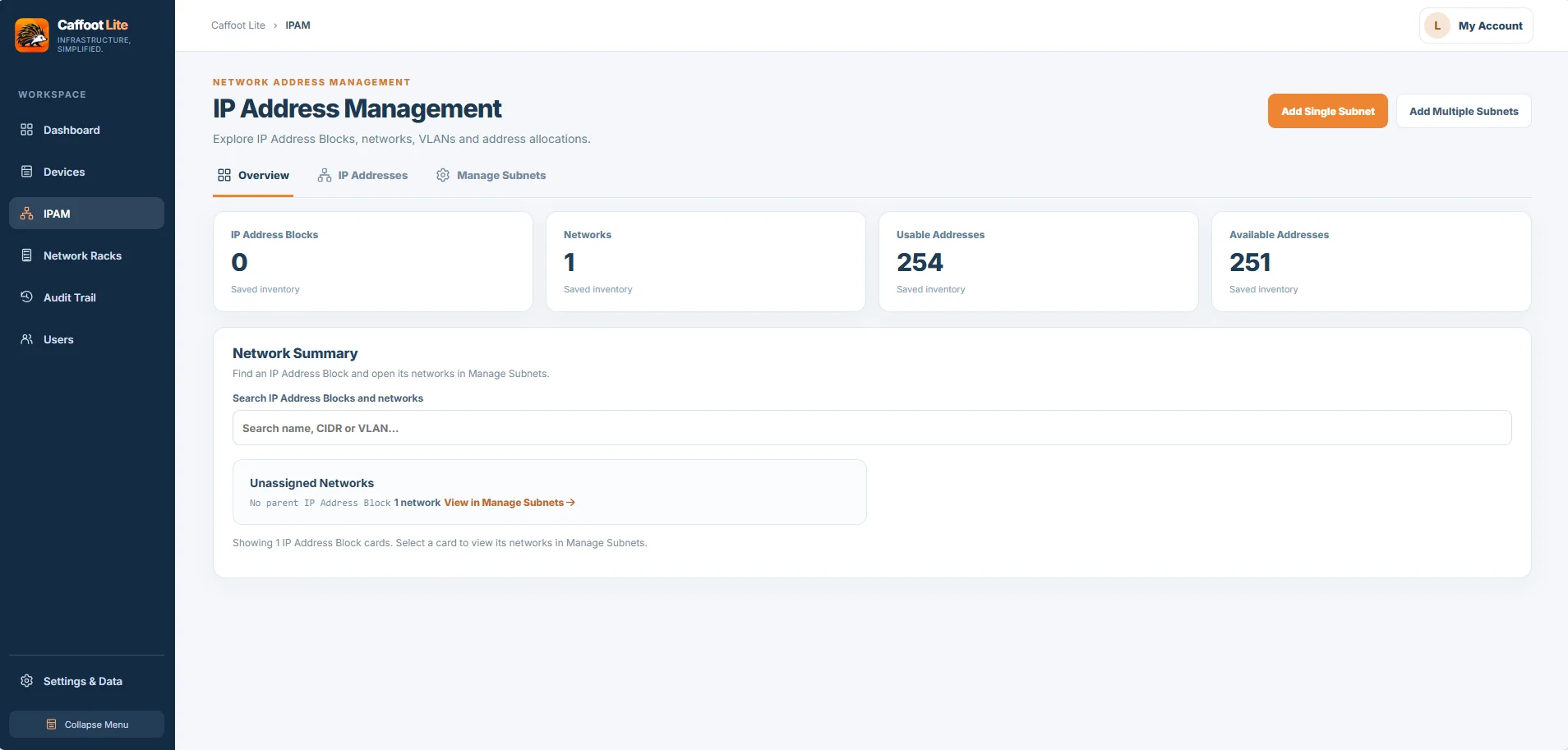
Document IPv4 subnets, assignments and reservations with optional VLANs and guided subnet planning.
Explore Feature →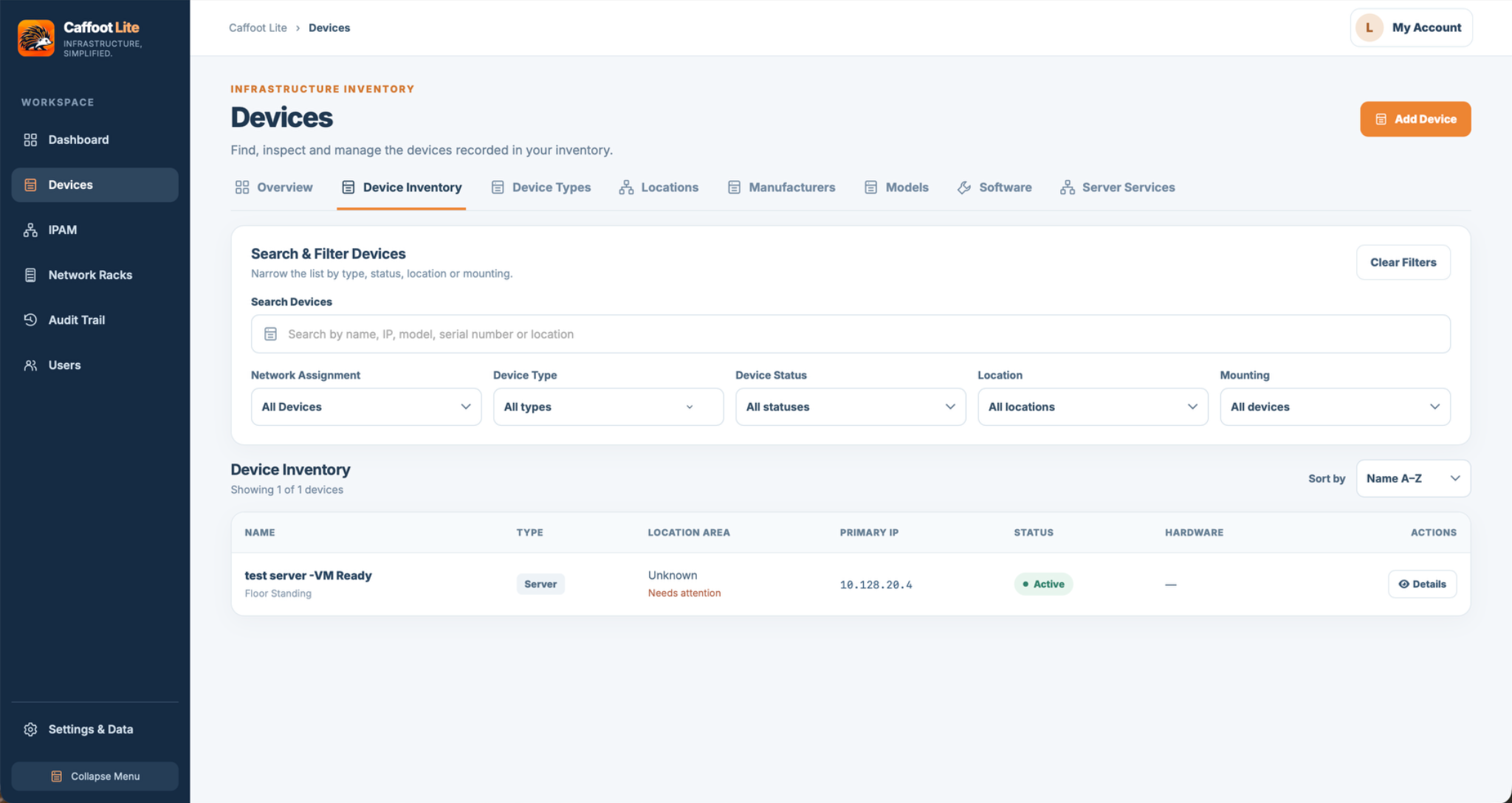
Keep equipment, network addresses and locations together.
Explore Feature →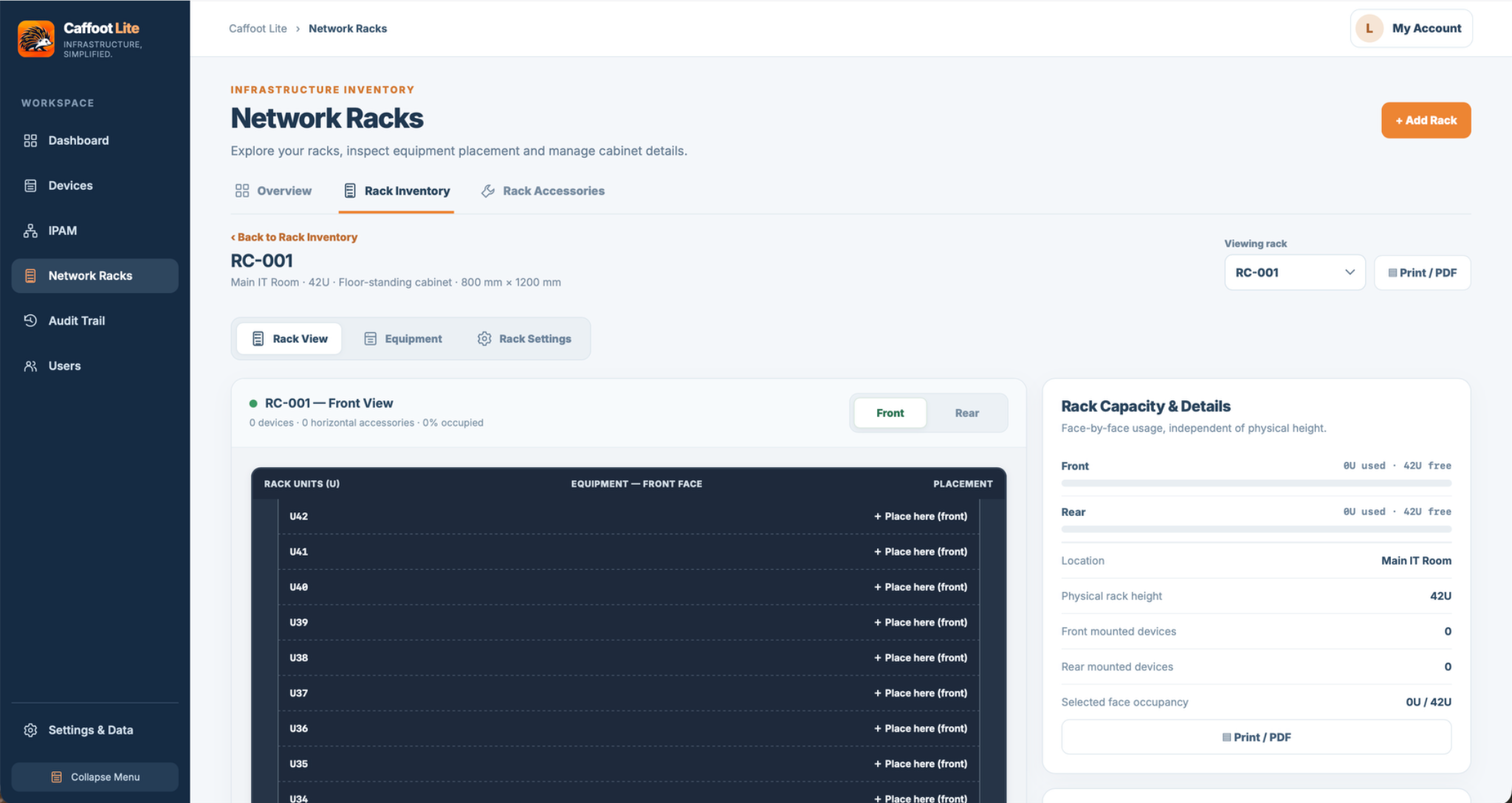
Visualise cabinets, mounted equipment and free rack space.
Explore Feature →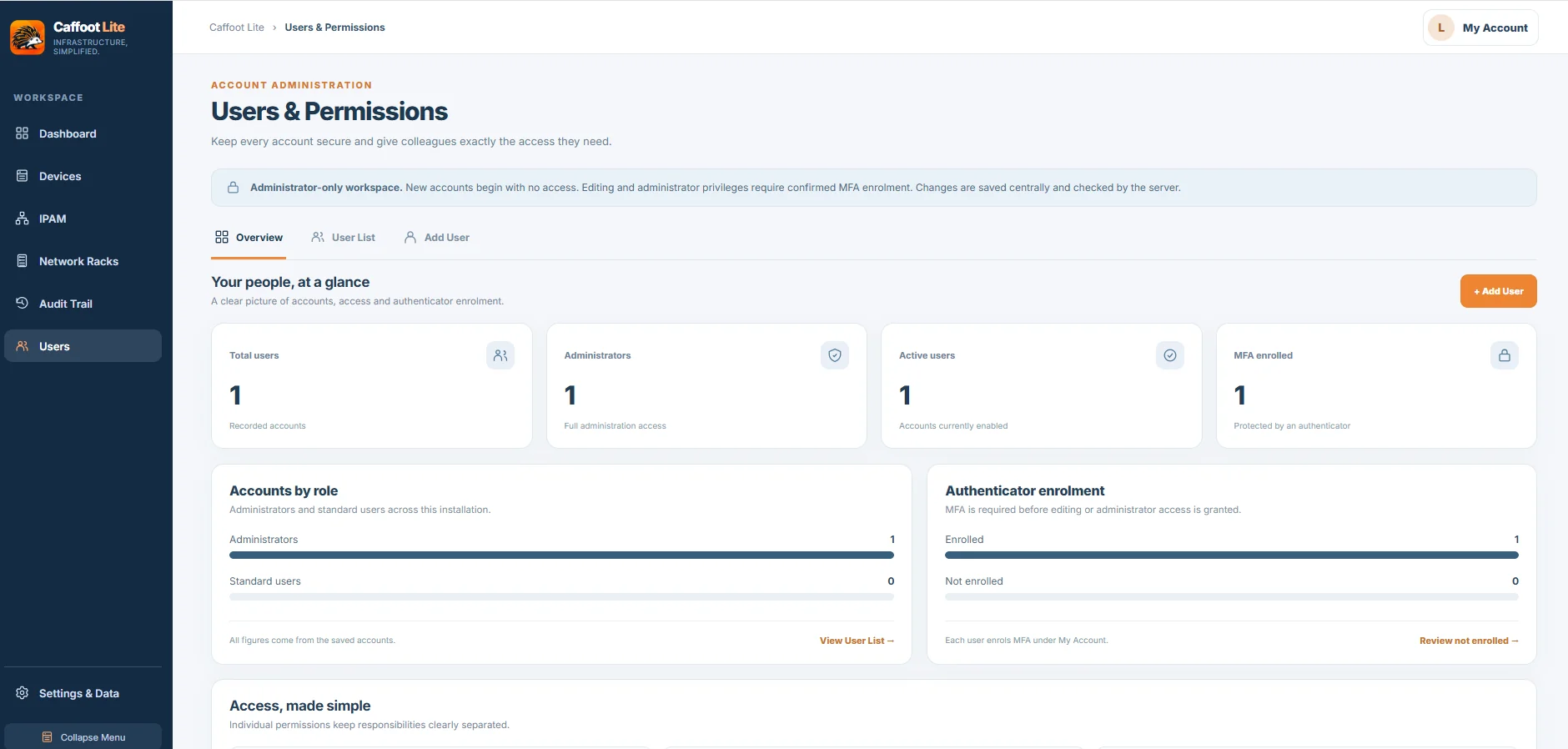
Share your infrastructure records and manage viewing and editing across sections.
Explore Feature →Share your infrastructure records with authorised users. Manage access to Devices, IPAM and Network Racks independently, with clear viewing and editing permissions.
Explore Users & Permissions →Useful improvements to the tools you use every day.
Clearer navigation, consistent layouts, improved forms and light/dark themes.
Subnet-first planning, optional VLANs and guided bulk subnet creation with a review before saving.
Better forms for physical devices, eligible hypervisors, virtual machines and shelf-related equipment.
Refreshed My Account, optional email verification, recovery where email is configured and clearer Audit Trail presentation.
For a new installation, the official v2.1 stack works in Portainer's Stacks → Add stack → Web editor and with docker compose up -d when saved locally as compose.yaml. No Docker build is needed when using the published image.
# Caffoot Lite v2.1 — Portainer / Docker Compose installation example.
# Verify the public v2.1 release and AMD64/ARM64 image before deploying.
# Change the example server IP address and port to suit your installation.
# New installations use a Docker-managed named volume for persistent data.
# IMPORTANT: Existing installations must keep their current /data mount.
services:
  caffoot-lite:
    image: ghcr.io/caffoot/caffoot-lite:v2.1
    container_name: caffoot-lite
    restart: unless-stopped
    environment:
      CAFFOOT_WEB_ADDRESS: "https://192.168.1.100:8443"
      CAFFOOT_SERVER_ADDRESS: "192.168.1.100"
      CAFFOOT_PORT: "8443"
    ports:
      - "8443:8080"
    volumes:
      - caffoot_data:/data
    healthcheck:
      test: ["CMD", "python", "-c", "import ssl,urllib.request; urllib.request.urlopen('https://127.0.0.1:8080/health',context=ssl._create_unverified_context(),timeout=3)"]
      interval: 30s
      timeout: 5s
      retries: 3

volumes:
caffoot_data:You can replace caffoot_data:/data with a host mapping such as /srv/caffoot-lite/data:/data, provided the container user 10001:10001 can write there. Keep that custom mapping during future updates.
Stop the existing container and back up the entire existing /data mount, including the SQLite database, TLS files and account-email key when present. Update the image reference in your existing stack, preserving its exact /data mapping, ports, HTTPS identity, environment and secrets. Do not replace an existing stack with this new-install example. Rollback requires restoring the matching pre-upgrade backup. Read the complete upgrade instructions ↗
Looking for the original standalone edition? Caffoot Lite v1.3.3 is still available for browser-local use. It doesn't have shared server accounts and needs regular JSON exports.
Have an idea, a question or some feedback? Join the conversation on GitHub and help shape the future of Caffoot Lite.
Ask questions and share your experiences.
Share ideas for consideration and explore the public roadmap.
Check reports and describe reproducible problems. Never share credentials.

Caffoot began as a Microsoft Access database application, built to solve a practical infrastructure management challenge for a client.
I wanted to take that idea further: make it responsive, straightforward to use and independent of office software. As someone who loves open-source software, I also wanted to create something that other people could use and build on.
That became Caffoot Lite — a free, open-source way to organise network and IT infrastructure. The standalone HTML edition remains available alongside the new Docker/SQLite v2.1 edition.
Caffoot is shaped by a real-world need and developed with the help of modern tools, including AI-assisted coding. The ideas, direction and ongoing improvements are driven by its creator, with a focus on useful features, simplicity and continuous improvement.
The essentials before you get started with Caffoot Lite.
Yes. Caffoot Lite is free and open source, and the plan is to keep it that way permanently. The source is published under the MIT licence; Caffoot's name and official branding have separate conditions.
Choose v2.1 for a shared SQLite-backed inventory installed through Docker Compose or Portainer. Standalone v1.3.3 runs from a single HTML file without a server, database or account.
Yes. The standalone application is designed for local use, including without an internet connection. You can open the HTML file without running a server or signing in.
In v2.1, the central SQLite database and HTTPS certificate files are stored under /data. New Docker/Portainer installations use a managed named volume by default; custom host directories remain supported. In standalone v1.3.3, inventory is browser-local. Each edition needs its own backup approach.
For v2.1, use trusted external backup tools to copy the complete persistent Docker named volume or configured host directory, including SQLite and HTTPS files. Stop the container for a simple manual copy, or use a proven SQLite-aware backup tool. The v1.3.3 JSON import is only for one-way migration. For standalone v1.3.3, export and safeguard JSON backups. Verify restoration safely.
Only the Docker/SQLite v2.1 edition supports authenticated multi-user access, mandatory MFA for administrators/editors and server-side permissions. Follow the HTTPS and reverse-proxy security guidance and protect your server. Never expose the standalone v1.3.3 HTML edition as a public multi-user application.
No. Caffoot Lite is a documentation and inventory tool, not a network discovery scanner. You add and manage the infrastructure information you want to track.
For full instructions, upgrade precautions and security guidance, see the Caffoot Lite repository ↗.
Document your IPv4 address space in one place, from larger address blocks and CIDR subnets to individual allocations and reservations. Keep a clear record of what is in use and what is still available.

Record IPv4 address blocks and CIDR subnets in a structured hierarchy, so you can see how your network space is divided and keep related networks together.
Document which addresses have been allocated or reserved. This makes it easier to check existing records before assigning an address to another device.
Record relevant VLAN information alongside your network documentation, helping you understand how subnets and address allocations fit into your environment.
Free, open-source and self-hosted with Docker and SQLite. The original standalone v1.3.3 edition remains available separately.
Download Caffoot Lite ↗Standalone v1.3.3 has no login or shared backend; inventory is browser-local and needs JSON backups. Use Docker/SQLite v2.1 for authenticated multi-user access. Security guidance ↗
Build a practical inventory of the equipment you manage. Record device types, locations, hardware details and primary IP addresses, and use searchable records to find information when you need it.

Keep device types, locations and hardware information together in a single inventory. Manufacturer, model and other catalogue information can help you document equipment consistently.
Search and filter your device records instead of hunting through spreadsheets or notes. Quickly locate an item when planning maintenance or checking your setup.
Record a device’s primary IP address alongside its other details, so your device inventory and network documentation are easier to use together.
Free, open-source and self-hosted with Docker and SQLite. The original standalone v1.3.3 edition remains available separately.
Download Caffoot Lite ↗Standalone v1.3.3 has no login or shared backend; inventory is browser-local and needs JSON backups. Use Docker/SQLite v2.1 for authenticated multi-user access. Security guidance ↗
Document your racks from both sides. Record devices and accessories on the front and rear faces, see where equipment is installed, and keep an eye on available rack-unit space.

View front and rear rack elevations to document devices and accessories on either face. Keep a clearer picture of how your rack is populated, not just what is visible from the front.
Record where devices and accessories are mounted within the rack. Clear placement records make it easier to find equipment, review layouts and plan changes.
Review occupied and available rack units before adding equipment. Visual rack layouts help you understand utilisation and plan future installations.
Free, open-source and self-hosted with Docker and SQLite. The original standalone v1.3.3 edition remains available separately.
Download Caffoot Lite ↗Standalone v1.3.3 has no login or shared backend; inventory is browser-local and needs JSON backups. Use Docker/SQLite v2.1 for authenticated multi-user access. Security guidance ↗
Standalone v1.3.3 stores records in your browser. Download a JSON backup to keep a separate copy and restore a compatible standalone backup when needed. Docker/SQLite v2.1 instead uses external backup of persistent server data.
Create a portable JSON copy of your records using Settings & Data → Data Management → Download Backup. Store the file somewhere safe outside your browser.
Use the data management tools to import a compatible backup, then check that the expected records are present. Read any confirmation prompts carefully before restoring.
Make a fresh backup before changing Caffoot Lite versions, switching browsers or clearing browser data. Browser storage alone is not a backup.
These steps apply to the older standalone HTML edition, not the v2.1 Docker database. Backups are created manually. Save a copy outside your browser so you can recover your inventory if browser storage is cleared or you move to another computer.
Check any confirmation prompts carefully before importing, particularly if you already have inventory stored in this browser.
Choose the shared Docker/SQLite v2.1 edition or the separate standalone HTML v1.3.3 release.
Download Caffoot Lite ↗Standalone v1.3.3 has no login or shared backend; inventory is browser-local and needs JSON backups. Use Docker/SQLite v2.1 for authenticated multi-user access. Security guidance ↗